The meeting starts, the island knows
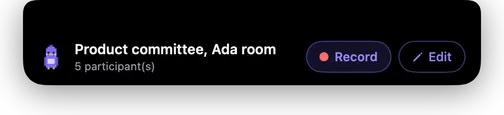
Keeti reads your calendar and offers to record the event in progress. The title, the guest list and the number of people expected are already filled in, and that is what lets it separate the voices properly afterwards.
- Google Calendar and macOS Calendar, together or separately.
- A global keyboard shortcut for everything that is not on the calendar.
- Slots with no guests trigger nothing, so you are not interrupted all day.
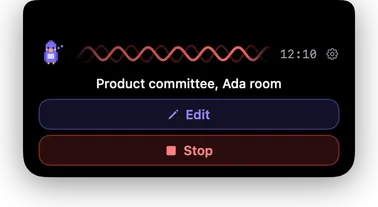
- Title and attendees stay editable while recording.
Who said what, on the room's microphone
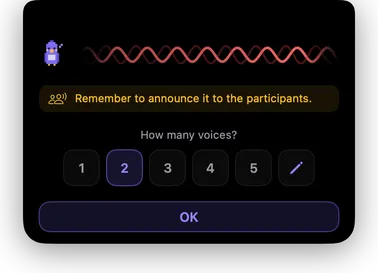
Separating several voices picked up by a single microphone on a table is the hard part. Keeti does it entirely on your Mac, leaning on two anchors: how many people are speaking, and your own voice, which it learns once.
- Learns your voice in about twenty seconds, once and for all.
- A playable audio excerpt next to each voice, to check in one click.
- Correct a name and the notes are rewritten with the right ones.
- The voiceprint is encrypted and never leaves the machine.
Names, not email addresses
A calendar invite carries addresses. Notes that say a.dupont@acme.com decided are notes nobody rereads. If you allow it, Keeti resolves each attendee address into a full name before writing, so every line credits a person.
- One targeted lookup per address, at the moment a meeting needs it. Never a bulk export of your address book, never a contact sync.
- Three read-only sources, tried in order: your organisation's directory on a Google Workspace account, your saved contacts, then the people you have corresponded with without saving them.
- Each source can be declined on its own at the consent screen. Decline all three and Keeti simply keeps the address, with no error and no nagging.
- Exact-match only: a lookup that returns a near miss is discarded. A missing name is better than the wrong one.
Notes, not eight thousand words
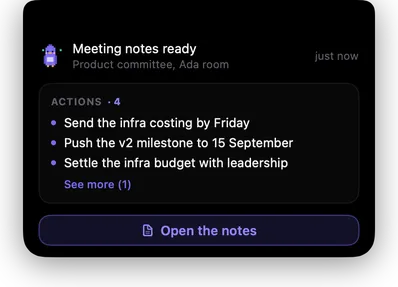
Nobody rereads a raw transcript. Keeti pulls out what was decided, who does what, and what is still open. The full transcript stays alongside, for the times you need the exact sentence.
- Decisions, action items with an owner, open questions.
- A dictionary of your own: client names, industry jargon, internal acronyms, so they stop being mangled.
- On a recurring meeting, the previous notes and the action items still open are brought back in at writing time.
It holds up over a real day
The features you only notice the day they are missing. Every one of them comes from a real meeting where something went wrong.
- Notes are written in the background: you start the next recording straight away, without waiting.
- Your Mac does not go to sleep while recording.
- “Still in a meeting?” when the room has emptied and nobody thought to stop.
- App quit or Mac restarted mid-meeting: the recording is found and offered back at the next launch.
- A full disk or an unplugged volume stops things cleanly, keeping the audio already captured.
Your meetings stay files
Nothing is locked inside the app. Each meeting produces a folder, in the location you choose, with files any tool can read, today and in ten years.
- Notes in Markdown and HTML, full transcript, action items.
- A shared or synced folder works perfectly well.
- Your agents and automations can read those meetings directly, through the built-in MCP connector or a webhook.
- Audio is deleted automatically after a delay you set.
A real macOS app
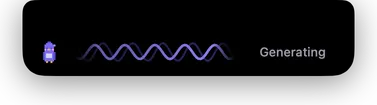
Native Swift, not a website in a costume. It lives under the notch, never steals focus from what you are doing, and leans on the Mac's neural engine to transcribe without spinning up the fans.
- Signed and notarised by Apple: it opens without a warning.
- Updates offered inside the app, never forced.
- On a Mac without a notch, the island becomes a floating bar at the top centre.
- Deployable across a managed fleet, with settings pushed by profile.